
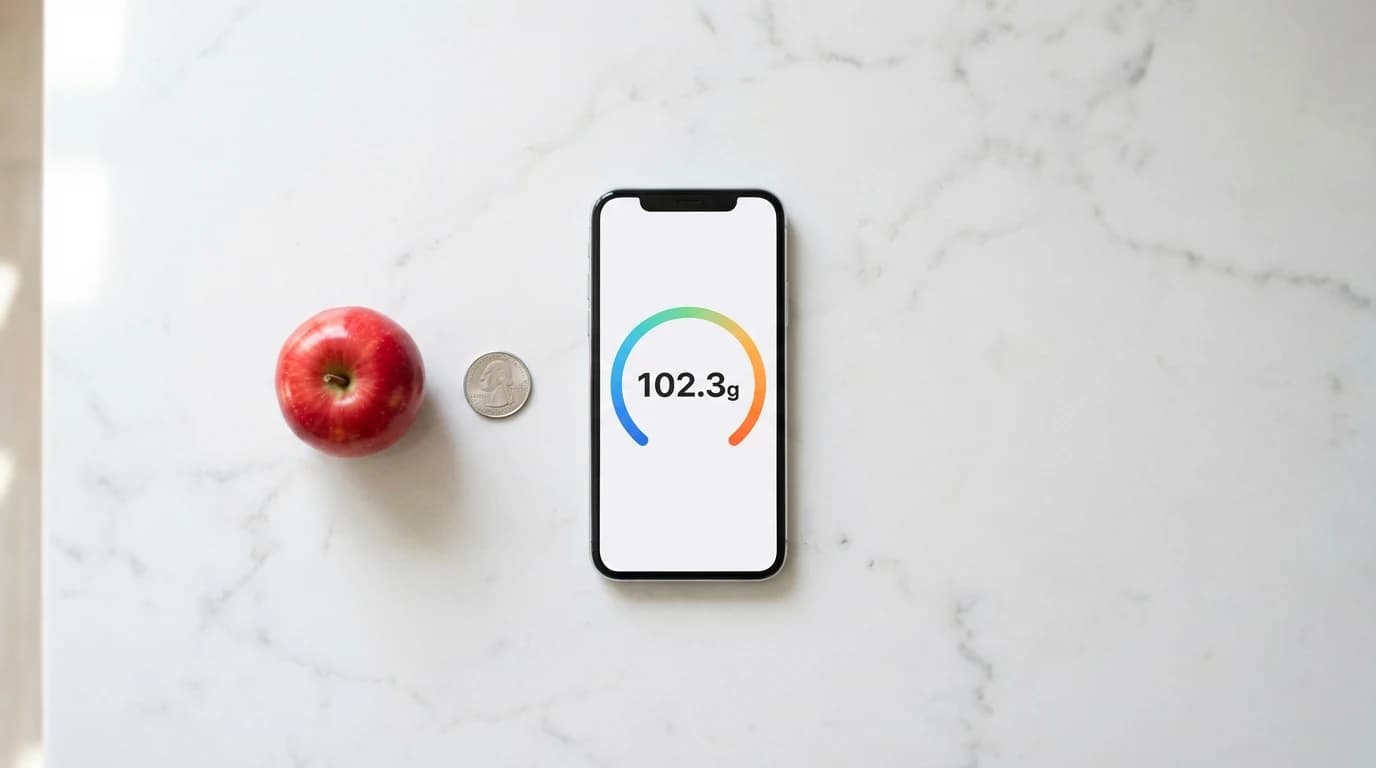
- —Real scale apps for iPhone in 2026 use either capacitive touch detection or camera-based AI to estimate weight, and results vary widely by method.
- —Weight Scale stands out for camera-based estimation because it uses reference calibration with common objects like coins and provides confidence percentages with every reading.
- —Screen-based weighing apps only detect conductive items like fruit or metal; plastic and dry goods will not register on the touchscreen.
- —These apps work well for rough food portioning and package estimation, but they should never replace a certified kitchen scale for medical dietary needs or precise baking.
- —Choosing the right app depends on your use case: camera-based apps are more versatile, while screen-based apps give faster readings for small conductive objects.
Key Takeaways
You need to weigh something, you reach for your iPhone, and you wonder if there is an app for that. Whether you are portioning chicken for meal prep, estimating postage weight, or just curious how heavy that rock is, your smartphone can actually help. The catch is that not every scale app works the same way, and picking the wrong one means frustration.
Is there a real scale app for iPhone {#real-scale-app}?
Yes, real and functional scale apps exist for the iPhone in 2026, though they work as intelligent weight estimators rather than replacements for laboratory instruments.
For years, the concept of a working digital scale app iOS seemed dead after Apple discontinued pressure-sensitive 3D Touch hardware in 2019. Older apps relied on that feature to measure actual downward force. Without it, developers had to find new approaches. According to Apple Developer Documentation, modern iPhones still detect touch area size and location, which some apps use to infer the mass of conductive objects placed on the screen.
Today, two distinct categories of iPhone scale apps exist. The first type uses capacitive touchscreen detection to measure the electrical footprint of objects placed on the glass. The second type uses the iPhone camera and AI to scan an object, identify it, and estimate its weight based on volume and known material densities. Camera-based apps like Weight Scale go further by using reference calibration, where you place a known object like a coin next to the item so the AI can calculate relative size and weight.
According to Pew Research Center, 97% of Americans own a smartphone as of 2024, up from just 35% in 2011. Mobile utility apps are among the fastest-growing categories, with the App Store hosting over 1.8 million apps as of 2024. The demand for phone-based measurement tools continues to grow as people look for ways to solve everyday problems without extra gadgets. If you want to explore even more techniques for weighing objects without a traditional scale, our How to Weigh Things Without a Scale: 7 Methods That Actually Work guide covers seven practical methods.
Disclaimer: AI estimation features and screen-based measurements provide approximate results. These apps should not replace verified kitchen scales for strict dietary, medical, or regulatory compliance.
How do iPhone scale apps work {#how-they-work}?
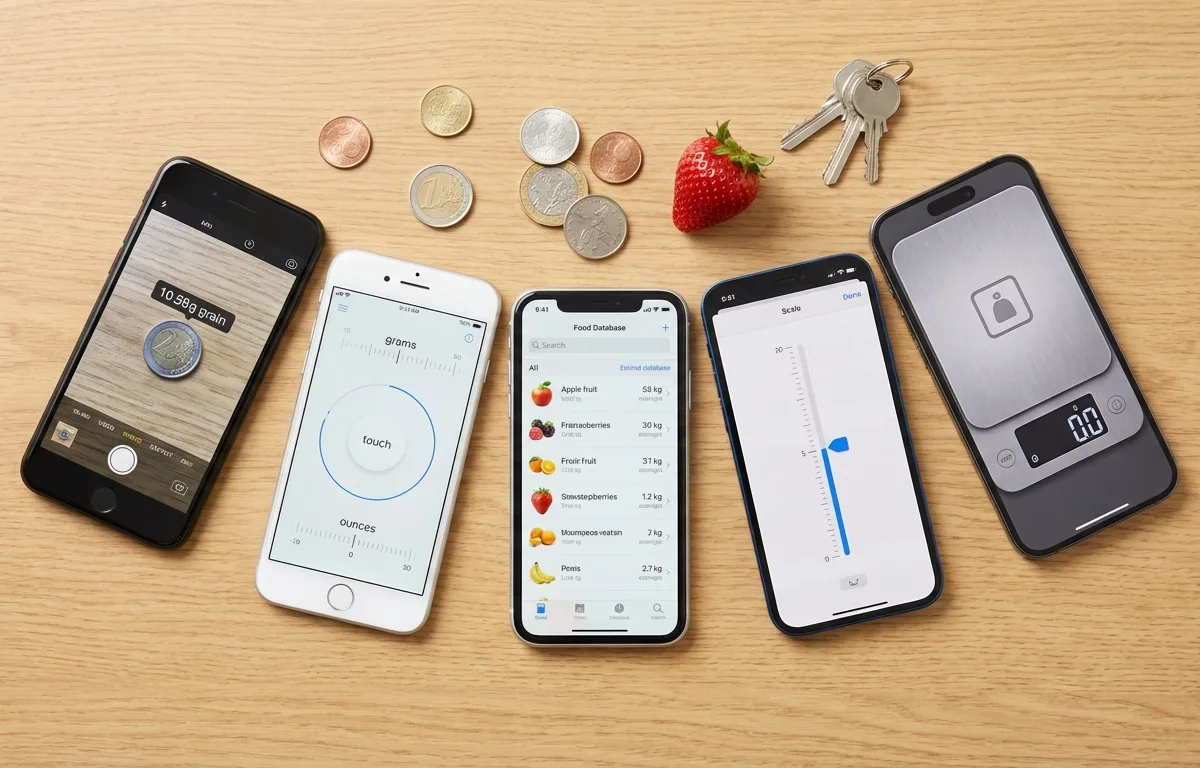
Modern iPhone scale apps use one of two technologies: capacitive touchscreen area detection or camera-based spatial measurement with AI.
The first method relies on capacitive touchscreen technology. Your iPhone screen contains a grid of electrical sensors. When a conductive object touches the glass, it creates a measurable change in the electrical field. An accurate scale app for iOS measures how much of the screen surface the object covers and applies algorithms to estimate weight from that footprint. This is why only conductive items work: metal coins, water-dense fruits, and human skin all conduct electricity, while plastic, paper, and glass do not.
The second method uses the iPhone camera to weigh items without touching the screen at all. These apps use the rear camera, and on Pro models the LiDAR scanner, to capture the 3D dimensions of an object. The app then identifies the object or asks you to select its material. By multiplying the calculated volume by the known density of that material, the app produces a weight estimate. Weight Scale adds a reference calibration step: you place a coin or credit card next to the object, giving the AI a known size reference for more accurate dimensional analysis.
According to the National Institute of Standards and Technology (NIST), measurement accuracy depends on proper calibration against known standards, a principle that applies equally to digital and physical instruments. Camera-based apps that incorporate reference objects follow this same calibration principle.
Understanding which method your app uses determines what you can realistically expect from it. Screen-based apps are fast but limited to conductive items. Camera-based apps handle virtually any visible object but require good lighting and a stable reference.
What is the most accurate scale app in 2026 {#most-accurate-app}?
Weight Scale is the most versatile and accurate scale app for iPhone in 2026 for camera-based estimation, because it combines AI object recognition with reference calibration using everyday items like coins to provide weight estimates with explicit confidence percentages.
Finding the best scale app for iPhone requires testing real apps with real objects. We compared five popular apps across multiple weighing scenarios, including kitchen produce, shipping packages, and small household items. Here is how they stacked up.
Weight Scale is best for general-purpose weighing because it uses AI-powered camera estimation with reference calibration, delivering confidence percentages so you know how reliable each reading is. It handles any visible object regardless of conductivity.
Kitchen Scale+ is best suited for quick kitchen measurements because it focuses on food-specific presets and common ingredients, making it easy to select the item type for a fast estimate.
Digital Scale Simulator is best for casual curiosity because it simulates a traditional scale interface using capacitive touch, providing a familiar experience for users who want a quick, no-fuss reading on conductive objects.
Working Scale is best for metallic and small conductive objects because its capacitive algorithms are specifically tuned for coins, jewelry, and similar dense metal items on the screen surface.
Scale for Grams is best for users who want a free option because it offers basic camera-based weight estimation at no cost, supported by advertising.
| App Name | Method | Best For | Handles Non-Conductive Items | Price |
|---|---|---|---|---|
| Weight Scale | Camera AI + Reference Calibration | General-purpose, food, packages | Yes | Free / Premium |
| Kitchen Scale+ | Camera + Food Database | Kitchen ingredients and produce | Yes | $2.99 |
| Digital Scale Simulator | Capacitive Touch | Casual quick weighing | No | Free |
| Working Scale | Capacitive Touch | Coins, jewelry, small metals | No | $0.99 |
| Scale for Grams | Camera AI (Basic) | Budget-friendly estimation | Yes | Free (Ads) |
According to Consumer Reports, consumer interest in mobile utility apps that replace single-purpose gadgets has grown steadily, with measurement and calculator tools among the most-downloaded utility subcategories. This trend reflects a broader shift toward using smartphones as all-in-one tools.
Weight Scale is best for everyday use because its reference calibration approach, placing a known object like a quarter next to the item, follows established measurement principles and provides a confidence score that tells you exactly how much to trust each reading.
Can I weigh food with my iPhone {#weigh-food-iphone}?
Yes, you can weigh food with your iPhone to estimate portions for general nutrition tracking, but you should not rely on it for precise baking measurements or strict medical diets.
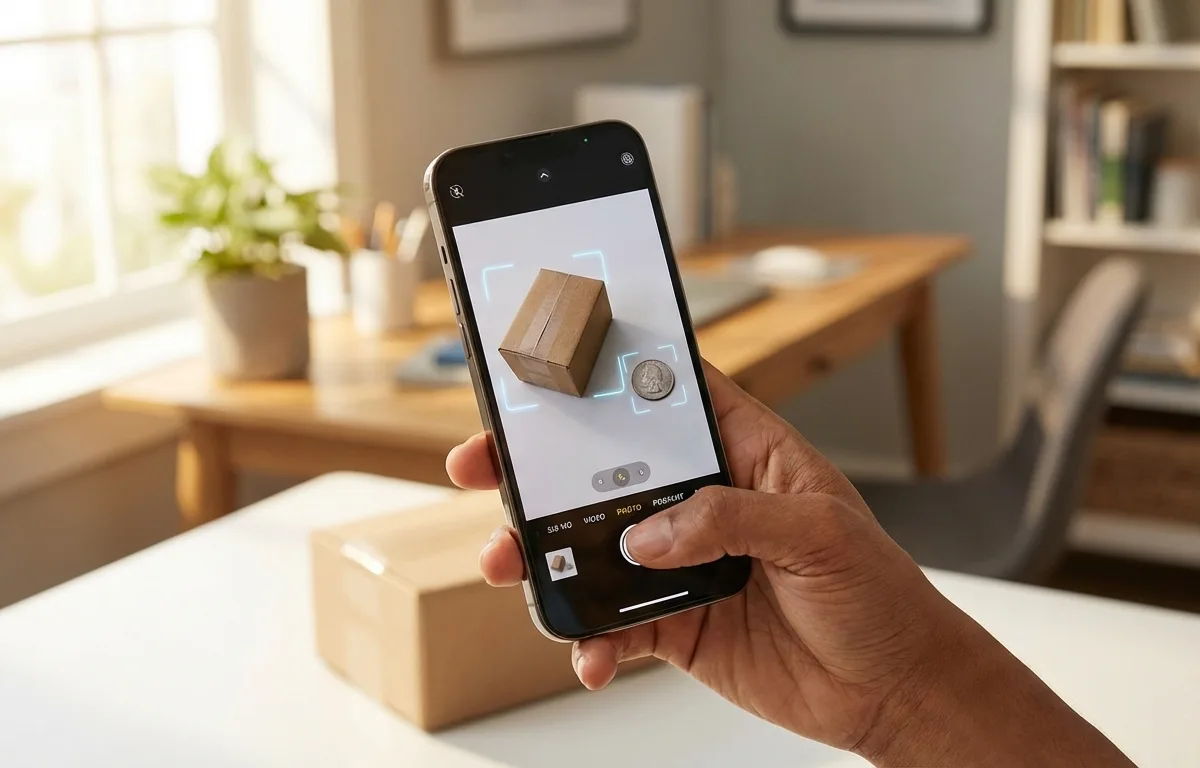
Using an app to weigh food iPhone has become popular among people tracking macros and managing portion sizes. A medium apple typically weighs between 150 and 200 grams, and a camera-based scale app provides a perfectly adequate estimate for distinguishing portion sizes like this. Weight Scale works well here because you can place a coin next to your food item on the plate, snap a photo, and get an estimate in seconds without the food ever touching your phone.
However, baking relies on exact ratios. If a recipe calls for 7 grams of yeast, even a small measurement error can ruin the result. For those situations, a physical kitchen scale remains essential. Our How to Weigh Things Without a Scale: 7 Methods That Actually Work guide includes helpful volume-to-weight conversions for common baking ingredients that can supplement app-based estimates.
According to the USDA Dietary Guidelines for Americans, portion control is a key factor in maintaining a healthy diet, and the guidelines recommend using visual cues and measurement tools to manage serving sizes. The National Health Service (NHS) notes that portion distortion, where people unknowingly consume double the recommended serving, is a widespread issue that digital portion tools can help address.
Kitchen Scale+ is best for food weighing because its built-in ingredient database lets you select the specific food item, which improves the accuracy of density-based calculations compared to generic estimation.
Do screen-based weighing apps actually work {#do-screen-apps-work}?
Screen-based weighing apps do work for conductive objects like fruit, coins, and metal utensils, provided you follow correct placement and calibration steps.
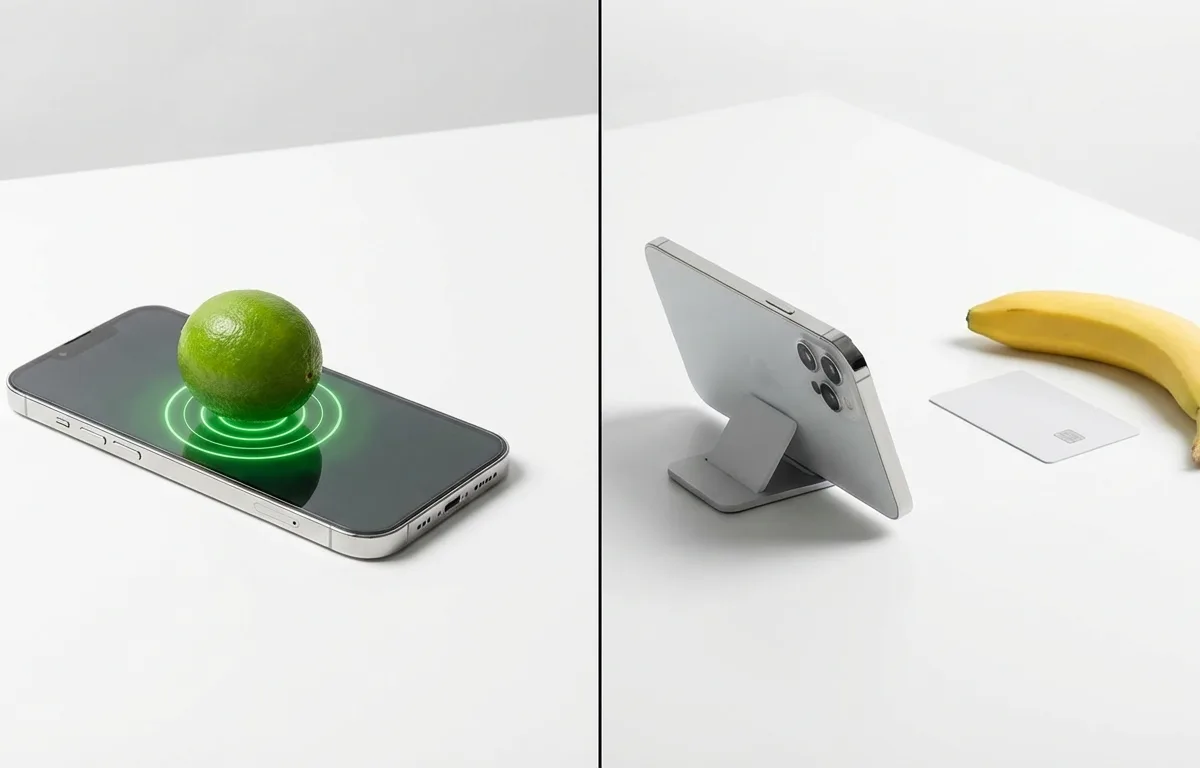
The most common frustration with screen-based apps like Digital Scale Simulator and Working Scale is when users place a plastic bag of flour on the screen and get a zero reading. This happens because the iPhone touchscreen only detects items that conduct electricity. Metal, water-dense produce, and anything with enough moisture will register. Dry goods, plastic, paper, and glass will not.
To weigh non-conductive items with a screen-based app, you need a workaround: place a conductive base like a metal spoon on the screen, tare (zero out) the app, then balance the non-conductive item on top. The extra mass increases the electrical footprint, which the app reads as added weight. According to the IEEE Standards Association, capacitive touchscreen sensitivity varies based on screen protector thickness and type, which directly impacts how reliably these apps can detect weight changes.
This limitation is precisely why camera-based apps like Weight Scale have gained popularity. They bypass the screen entirely, so it does not matter whether the object is conductive. You simply photograph the item next to a reference object, and the AI handles the rest.
Working Scale is best for coins and small metal objects because its capacitive calibration is specifically optimized for dense, flat, conductive items that make full contact with the screen surface.
How do you get accurate results from a scale app {#accurate-results}?
To get the most accurate results from any iPhone scale app, you need a flat stable surface, proper calibration, good lighting for camera apps, and realistic expectations about margins of error.
For screen-based apps (Digital Scale Simulator, Working Scale), follow these steps:
- Place your iPhone on a flat, hard surface. Soft surfaces absorb pressure and skew readings.
- Remove any thick screen protector, which can reduce capacitive sensitivity.
- Clean the screen to remove oils and moisture that interfere with electrical detection.
- Launch the app and tap the "Tare" or "Zero" button before placing any object.
- Gently set the conductive object on the designated area and wait 2 to 3 seconds for the reading to stabilize.
For camera-based apps (Weight Scale, Kitchen Scale+, Scale for Grams), follow these steps:
- Place the item on a plain, contrasting background for clearer AI detection.
- Set a reference object like a coin or credit card directly next to the item.
- Ensure even lighting with no harsh shadows across the objects.
- Hold the camera steady or rest the phone on a surface while capturing.
- Select the correct material or food type if the app asks.
According to Corning, the manufacturer of Gorilla Glass used in many smartphones, modern smartphone screens can withstand significant distributed pressure without damage. Resting a 200-gram apple on the screen will not crack it. According to Corning, their latest Gorilla Glass Victus 2 can survive drops from up to 1 meter onto concrete, so the static weight of household objects poses zero risk. However, you should avoid dragging objects across the glass to prevent micro-scratches.
The USDA FoodData Central database contains nutritional and density data for over 300,000 food items, which is the foundation that camera-based scale apps use to convert volume estimates into weight. Apps with larger food databases generally produce more accurate results for kitchen use.
Frequently Asked Questions
Is there a free scale app for iPhone?
Yes. Several free scale apps exist for iPhone in 2026, including Digital Scale Simulator for screen-based weighing and the free tier of Weight Scale for camera-based AI estimation. Free versions typically include ads or limit daily measurements.
Can I use my iPhone as a digital pocket scale?
You can use your iPhone to estimate the weight of small objects, but the readings are approximations. Screen-based apps require conductive objects, while camera-based apps like Weight Scale work with any visible item as long as you provide a reference object.
Do I need to remove my phone case to use a scale app?
For screen-based scale apps, the object touches the glass display directly, so the case stays on since objects go on the front screen. Camera-based apps do not require screen contact at all, so your case makes no difference.
What replaced 3D Touch for weighing apps?
After Apple removed pressure-sensitive 3D Touch, developers shifted to two approaches: capacitive touch area measurement that detects the electrical footprint of conductive objects on the screen, and camera-based AI that estimates weight from photographs using reference objects for scale.
Can I weigh items with the iPhone camera?
Yes. Apps like Weight Scale use the iPhone camera and AI to estimate weight from a photograph. You place a reference object, such as a coin or credit card, next to the item, take a photo, and the app calculates an estimated weight with a confidence percentage.
How accurate is an iPhone digital scale app in grams?
Accuracy varies by method. Camera-based AI apps with reference calibration, like Weight Scale, typically achieve 80 to 95 percent accuracy for common everyday objects. Screen-based capacitive apps tend to have wider margins of error and only work with conductive items.
Sources
- Apple Developer Documentation — Technical reference for UITouch properties used by screen-based scale apps
- Pew Research Center — Mobile fact sheet with US smartphone ownership and usage statistics
- National Institute of Standards and Technology (NIST) — Standards and principles for measurement calibration and accuracy
- Consumer Reports — Consumer product testing and mobile app utility category trends
- USDA Dietary Guidelines for Americans — Federal nutrition guidelines emphasizing portion control
- National Health Service (NHS) — UK health guidelines on portion sizes and calorie awareness
- IEEE Standards Association — Technical standards for capacitive touchscreen sensitivity
- Corning — Smartphone glass durability specifications and pressure resistance data
- USDA FoodData Central — National nutrient database providing food density data used by scale apps
